!surface_num
!surface_num (P1-1)
No. of surfaces in one surface rendering
Ex.: There are four surfaces in Figure 7.4.1, which includes two isosurfaces pressure = 1000.0 and pressure = -1000.0, and two cut end plane surfaces z = -1.0 and z = 1.0.
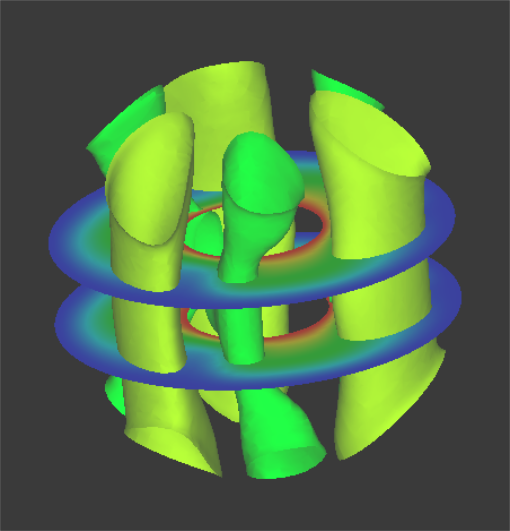
Figure 7.4.1: Example of surface_num Setting
!surface (P1-2)
Sets the contents of the surface.
Ex: Then contents of the four surface in Figure 7.4.2 are as follows.
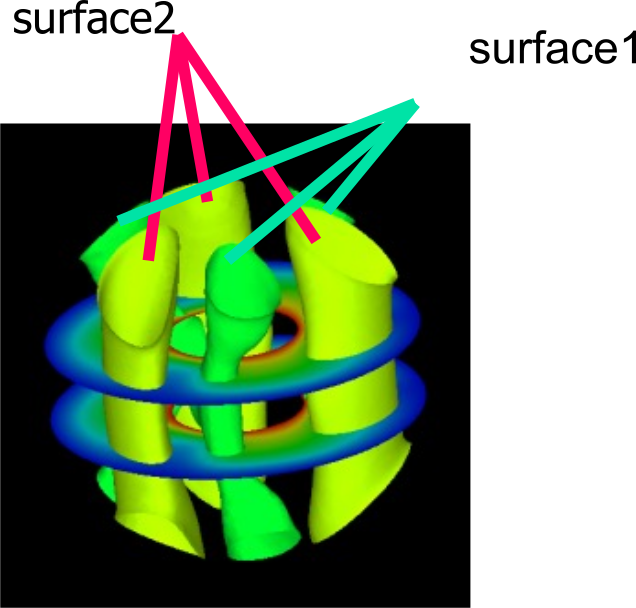
Figure 7.4.2: Example of Surface Setting
!surface_num = 2
!SURFACE
!surface_style = 2
!data_comp_name = press
!iso_value = 1000.0
!display_method = 4
!specified_color = 0.45
!output_type = BMP
!SURFACE
!surface_style = 2
!data_comp_name = press
!iso_value = -1000.0
!display_method = 4
!specified_color = 0.67
!surface_style (P1-3)
Specifies the style of the surface.
- Boundary plane
- Isosurface
- Arbitrary quadric surface
coef[1]x2 + coef[2]y2 + coef[3]z2 + coef[4]xy + coef[5]xz
+ coef[6]yz + coef[7]x + coef[8]y + coef[9]z + coef[10]=0
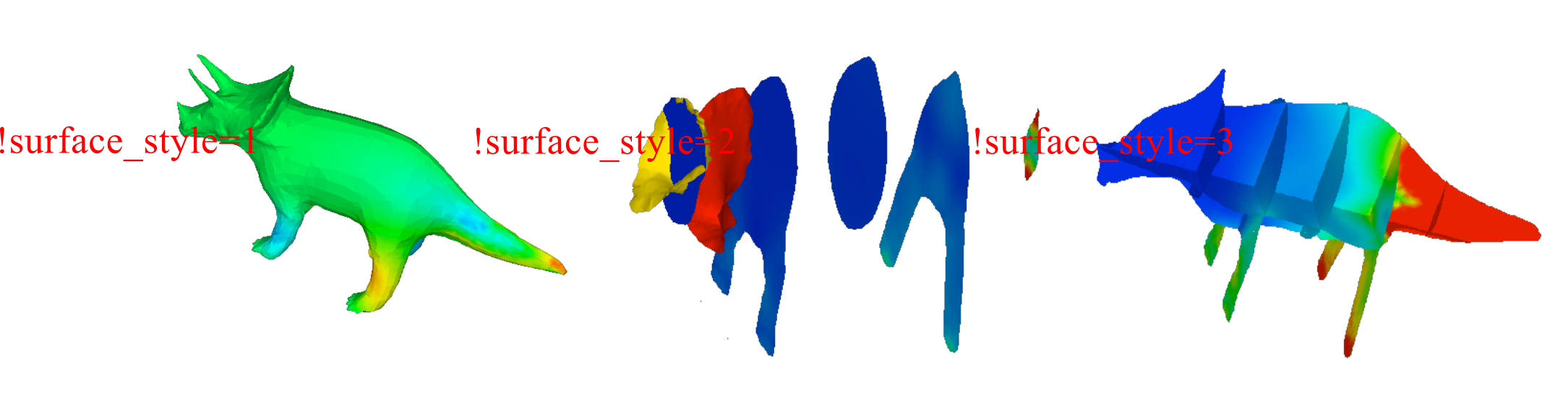
Figure 7.4.3: Example of surface_style Setting