!color_comp_name
Specifies the selections for the color map from the physical values. Provides the names to the necessary physical values and the degree of freedom numbers. Accordingly, the names will be entered for the structure node_label(:) and nn_dof(:) of the results data.
Then you can define which one you hope to map into color by
!color_comp_name (Character string, default: 1st parameter)
Example
!color_comp_name = pressure
In static analysis;        = DISPLACEMENT : Specification
of the results displacement data
= STRAIN       : Specification of strain data
= STRESS       : Specification of stress data
In heat transfer analysis; = TEMPERATURE  : Specification
of the results temperature data
!color_comp (Integer, default: 0)
Physical value ID number (Integers above 0)
Example
This is the specification of the ID number and component name of the results data type; however, this is not included.
!color_subcomp (Integer, default: 0)
When the physical value is 1 degree of freedom or more like the vector quantity, it’s the number of the degree of freedom.
Example:
!color_subcomp = 0

When !color_comp_name=DISPLACEMENT is specified
1: X Component,  2: Y Component, 3: Z Component

When !color_comp_name=STRAIN is specified
1: $\epsilon$x,  2: $\epsilon$y,  3: $\epsilon$z
4: $\epsilon$xy, 5: $\epsilon$yz, 6: $\epsilon$zx

When !color_comp_name=STRESS is specified
1: $\sigma$x,  2: $\sigma$y,  u: $\sigma$z
4: $\tau$xy, 5: $\tau$yz, 6: $\tau$zx

When !color/comp\_name=TEMPERATURE is specified
1: Temperature
In the structural analysis, for example;
| Physical Value | Displacement | Strain | Stress |
|---|---|---|---|
| No. of degrees of freedom | 3 | 6 | 7 |
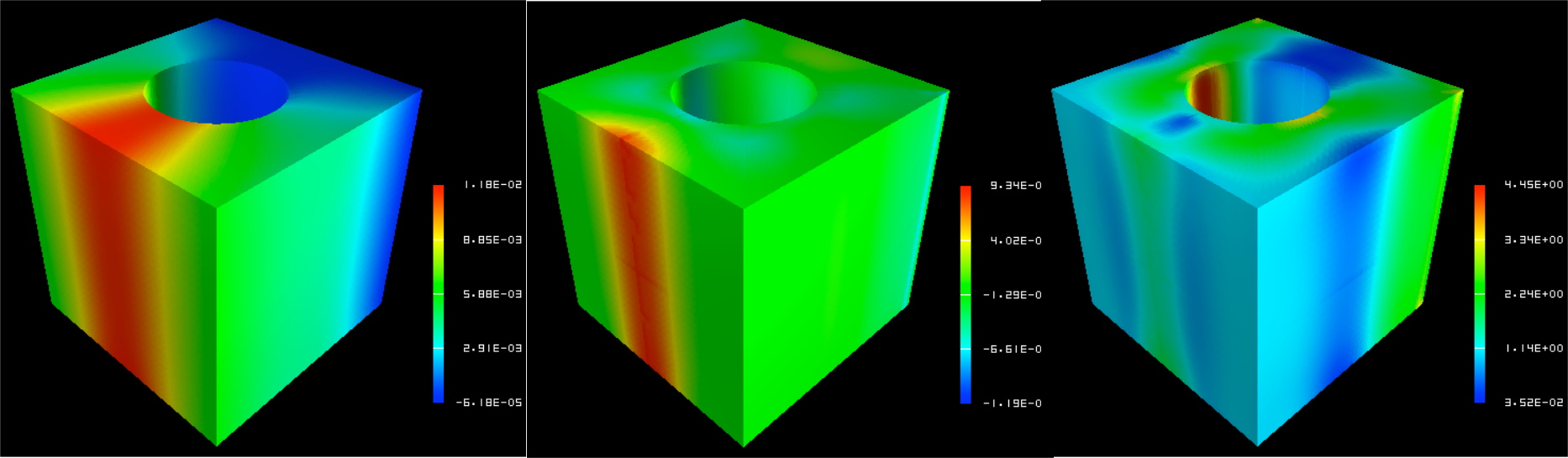
Figure 7.4.5: Example of color_comp, color_subcomp and color_comp_name Setting